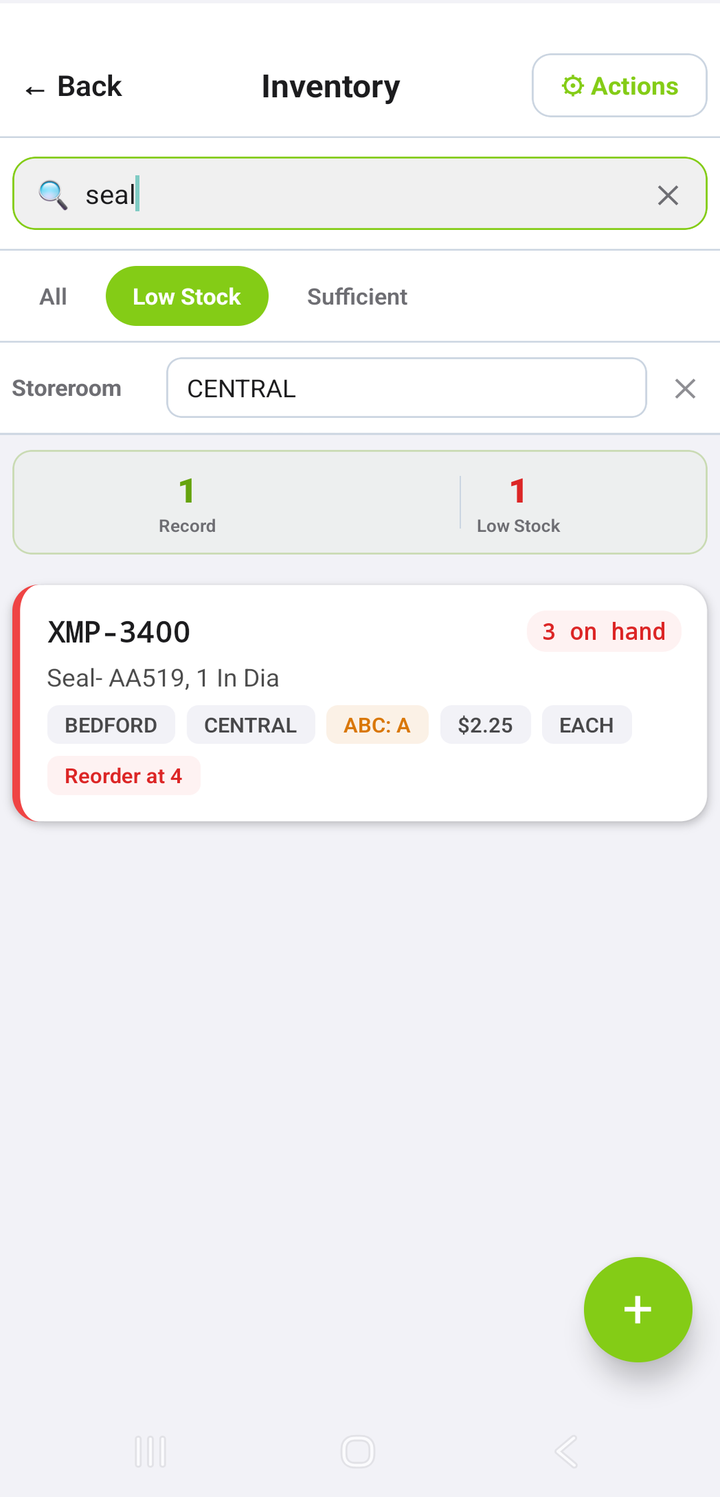
Spot low stock
Search the storeroom, filter Low Stock, and see balance, reorder point and cost — read from Maximo's own inventory balances.
 MaxSphere
Book a demo
For IBM Maximo Manage 9 · MAS on OpenShift
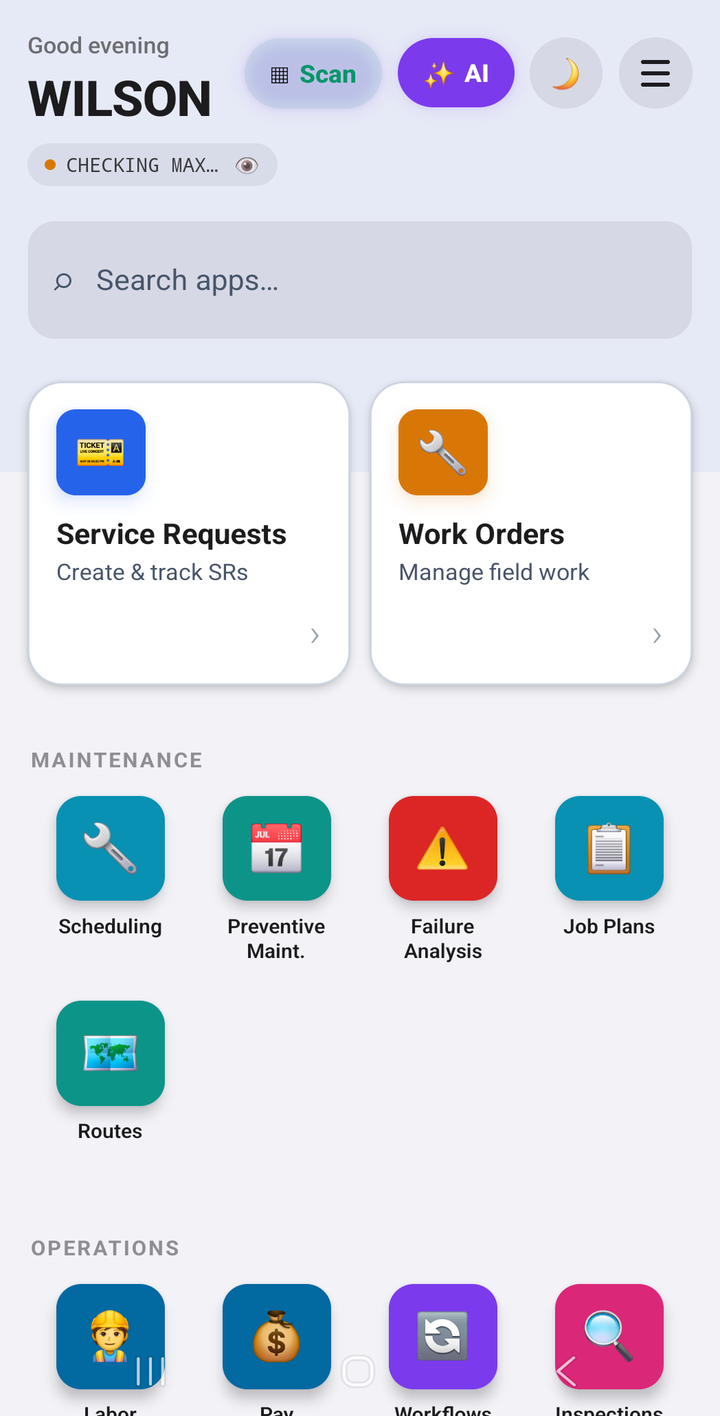
MaxSphere puts 95 Maximo modules — work orders, inventory, purchasing, contracts, HSE and permits — on the phone your teams already carry. Live against your Maximo, online or off.
One flow, end to end
A real Maximo day, done on a phone. Every step below is a live Maximo record.
Search the storeroom, filter Low Stock, and see balance, reorder point and cost — read from Maximo's own inventory balances.
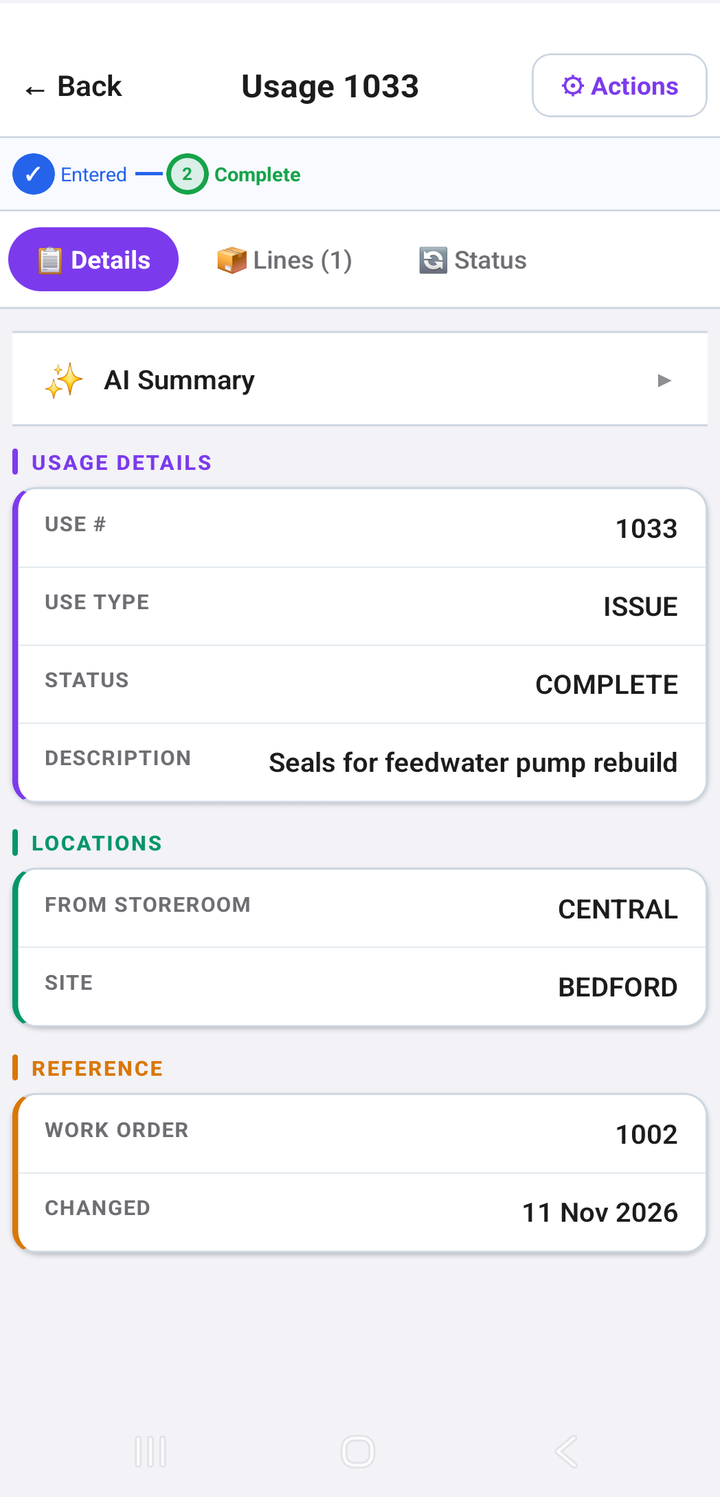
Create an inventory usage, pick item, quantity and work order, and complete it. Maximo posts the issue and updates stock.
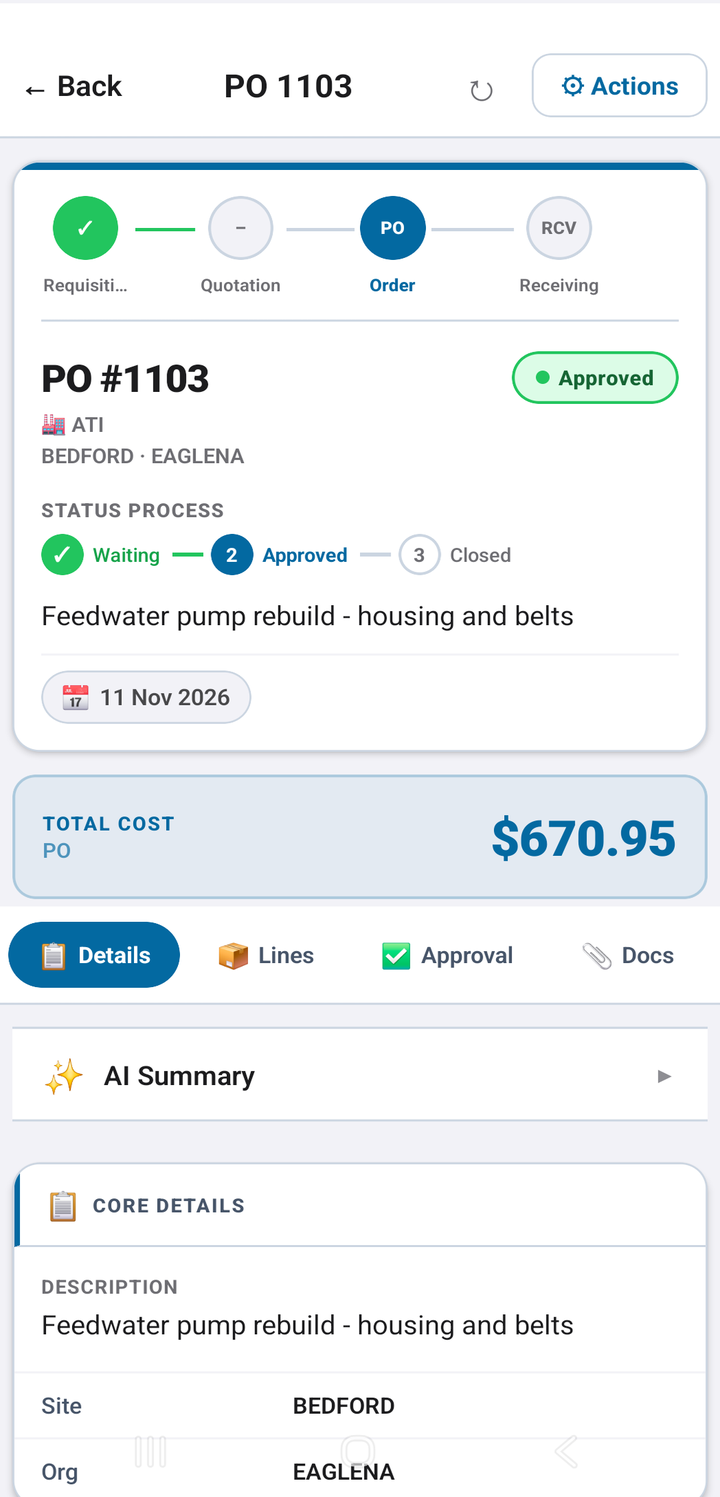
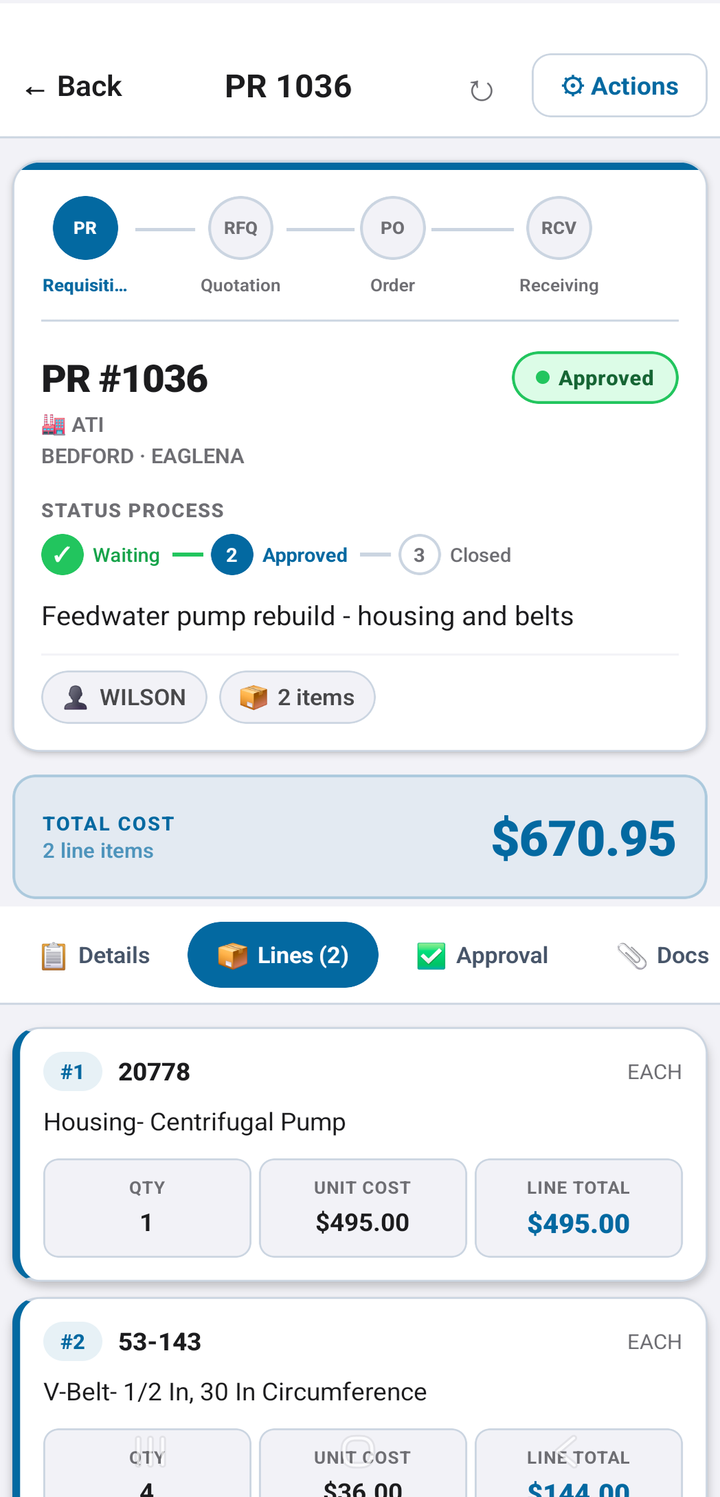
Raise a requisition with Maximo's prices, approve it, and turn it into a purchase order linked back to every line.
One tap receives everything still open on the PO into the right storeroom and bin. Stock is back.
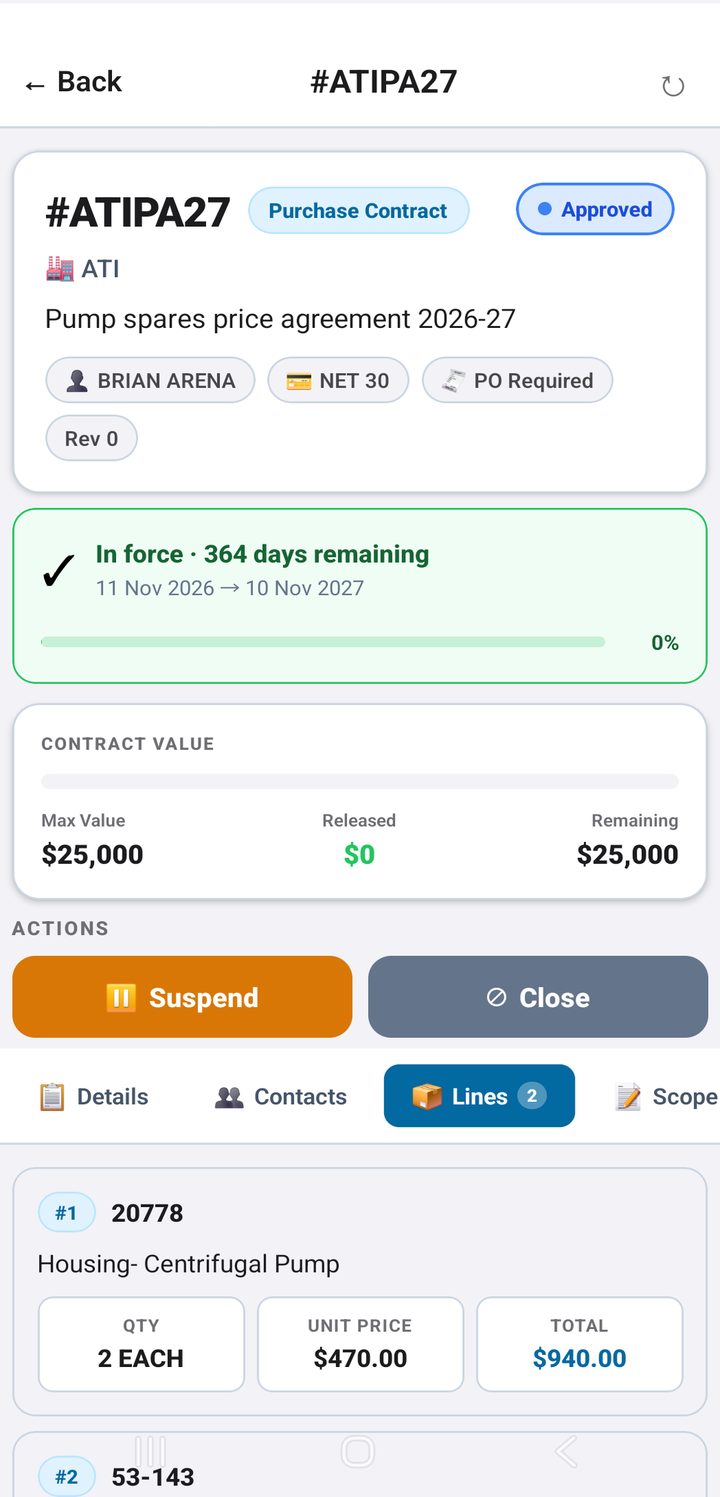
Draft a purchase contract, add agreed prices, submit and approve. The agreement is in force with its ceiling and term.
The whole of Maximo
Work orders, service requests, scheduling, job plans, routes, PMs and labor reporting — with actuals, failure reporting and work logs that land in Maximo.
Balances by bin, low stock, issues, returns and transfers, count books.
Requisitions, purchase orders, receiving and invoices — approvals included.
Purchase, lease and warranty contracts with price lines, value and term.
Hierarchies, locations, meter readings and asset history.
Permit to work with isolations and sign-offs, LOTO, incidents, investigations, hazards and risk assessments — the control of work, on site.
Build forms from templates, run them on assets, sign and complete.
Crews, crafts, labor reporting and pay approvals.
Built for the field
Every write is read back from Maximo before the app says it worked. No silent failures, no phantom records.
Lists are cached on the device and changes queue up without signal, then sync when you are back online.
QR and barcode scanning jumps straight to the asset, work order, location or permit.
Summaries on records and an assistant that answers questions about your Maximo data.
Including right-to-left Arabic and Urdu, for crews that don't work in English.
Admins deploy MaxSphere's object structures and scripts to Maximo in one step, and choose which modules each site sees.
Live in an afternoon
Point MaxSphere at your Maximo Manage URL. Users sign in with their own Maximo API keys.
From the Control Center, install MaxSphere's object structures and automation scripts on your instance.
Hand out the app. Technicians, storeroom clerks, buyers and HSE teams work in Maximo from day one.
Security
Who it's for
FAQ
MaxSphere is built and tested on IBM Maximo Application Suite 9 (Maximo Manage), on Red Hat OpenShift and standalone. Ask us about your version.
It complements it. MaxSphere covers the modules your teams use beyond the standard mobile apps — inventory, purchasing, contracts, HSE and more — in one place.
No. The app connects to Maximo's REST API directly. Setup adds object structures and scripts to Maximo itself.
Yes. Lists are cached on the device and changes are queued, then synced when the connection returns.
Yes. The Control Center lets administrators switch modules on or off for your organisation.
A 30-minute live demo against a real Maximo instance — your modules, your questions.
Book a demoor write to [email protected]